;%20}%20%3c/style%3e%3ctitle%3eFutursoft%3c/title%3e%3cpath%20id='icon'%20fill-rule='evenodd'%20d='M132.1%2056.18V68.8L55.47%2024.47l10.94-6.3%2065.7%2038.01h-.01Zm-65.8%2088.63%2065.76-37.89V94.98L32.8%2037.54l-11%206.34%2099.01%2057.29-65.11%2037.51%2010.59%206.13h.01ZM97.89%2095.1l-58.88%2033.91%2010.74%206.21%2058.88-33.91-10.74-6.21Zm-17.29-10-58.88%2033.91%2011.32%206.55%2058.88-33.91L80.6%2085.1Zm-41.84-51%2093.31%2054V75.69L49.51%2027.91%2038.76%2034.1Z'/%3e%3cpath%20id='text'%20d='M141.05%20106.28V56.07h42.68v9.33h-32.28v12.2h30.7v9.25h-30.7v19.44h-10.4Zm75.04%201.01c-6.22%200-10.98-1.16-14.28-3.48a17.09%2017.09%200%200%201-6.67-8.61%2036.75%2036.75%200%200%201-1.72-11.73v-27.4h10.4v27.98c0%204.54.94%208%202.83%2010.37%201.89%202.37%205.03%203.55%209.43%203.55s7.54-1.18%209.43-3.55c1.89-2.37%202.83-5.82%202.83-10.37V56.07h10.33v27.4c0%204.4-.56%208.31-1.69%2011.73-1.12%203.42-3.35%206.29-6.67%208.61-3.32%202.32-8.07%203.48-14.24%203.48Zm49.85-1.01V65.46h-19.23v-9.4h48.78v9.4h-19.23v40.82h-10.33Zm60.19%201.01c-6.22%200-10.98-1.16-14.28-3.48a17.09%2017.09%200%200%201-6.67-8.61%2036.75%2036.75%200%200%201-1.72-11.73v-27.4h10.4v27.98c0%204.54.94%208%202.83%2010.37%201.89%202.37%205.03%203.55%209.43%203.55s7.54-1.18%209.43-3.55c1.89-2.37%202.83-5.82%202.83-10.37V56.07h10.33v27.4c0%204.4-.56%208.31-1.69%2011.73-1.12%203.42-3.35%206.29-6.67%208.61-3.32%202.32-8.07%203.48-14.24%203.48Zm34-1.01V56.07h24.39c6.03%200%2010.89%201.27%2014.6%203.8%203.71%202.54%205.56%206.79%205.56%2012.77%200%205.64-1.77%209.82-5.31%2012.52-3.54%202.7-8.49%204.05-14.85%204.05h-13.99v17.07h-10.4Zm24.32-26.18c3.01%200%205.39-.57%207.14-1.72s2.62-3.06%202.62-5.74c0-1.91-.39-3.41-1.18-4.48s-1.89-1.84-3.3-2.29a17%2017%200%200%200-5.13-.68h-14.06v14.92h13.92Zm9.04%2026.18L382.3%2087.34l10.04-1.58%2012.77%2020.52h-11.62Zm45.05.86c-6.12%200-11.07-.88-14.85-2.65-3.78-1.77-6.47-4.03-8.07-6.78a18.05%2018.05%200%200%201-2.47-9h10.4a7.64%207.64%200%200%200%204.23%206.89c2.73%201.48%206.48%202.22%2011.26%202.22%203.78%200%206.71-.44%208.79-1.33%202.08-.88%203.12-2.31%203.12-4.27%200-1.24-.53-2.31-1.58-3.19-1.05-.88-2.55-1.61-4.48-2.19s-4.48-1.1-7.64-1.58c-7.65-1.2-13.27-3.04-16.86-5.52a11.82%2011.82%200%200%201-5.38-10.26c0-2.63.71-5.02%202.12-7.17%201.41-2.15%203.71-3.9%206.89-5.24%203.18-1.34%207.3-2.01%2012.37-2.01%205.98%200%2010.69.93%2014.13%202.8s5.82%204.15%207.14%206.85c1.32%202.7%202%205.58%202.04%208.64h-10.47a8.32%208.32%200%200%200-3.05-6.28c-1.99-1.75-5.49-2.62-10.51-2.62-3.4%200-5.92.46-7.57%201.36-1.65.91-2.48%202.13-2.48%203.66s.93%202.92%202.8%204.02c1.87%201.1%204.9%201.99%209.11%202.65a97%2097%200%200%201%2012.3%202.69c3.23.98%205.96%202.56%208.21%204.74%202.25%202.18%203.37%205.18%203.37%209%200%205.07-1.99%208.76-5.95%2011.08-3.97%202.32-9.61%203.48-16.93%203.48Zm57.32.07a29.8%2029.8%200%200%201-13.63-3.05c-4.02-2.03-7.15-5.02-9.4-8.97s-3.37-8.64-3.37-14.1%201.13-9.98%203.41-13.88c2.27-3.9%205.4-6.9%209.4-9%203.99-2.1%208.52-3.16%2013.59-3.16s9.67%201.04%2013.67%203.12a22.67%2022.67%200%200%201%209.36%209c2.25%203.92%203.37%208.56%203.37%2013.92s-1.12%209.95-3.37%2013.92a22.54%2022.54%200%200%201-9.4%209.08%2029.21%2029.21%200%200%201-13.63%203.12Zm0-9.47c3.11%200%205.86-.69%208.25-2.08a14.28%2014.28%200%200%200%205.56-5.88c1.31-2.53%201.97-5.43%201.97-8.68s-.66-6.19-1.97-8.68a14.57%2014.57%200%200%200-5.56-5.85c-2.39-1.41-5.14-2.12-8.25-2.12s-5.93.68-8.32%202.04a13.98%2013.98%200%200%200-5.56%205.81c-1.32%202.51-1.97%205.44-1.97%208.79s.66%206.29%201.97%208.82a13.69%2013.69%200%200%200%205.56%205.81%2016.75%2016.75%200%200%200%208.32%202.01Zm36.08%208.54V56.07h42.68v9.33h-32.28v12.2h30.7v9.25h-30.7v19.44h-10.4Zm68.22%200V65.46h-19.22v-9.4h48.78v9.4h-19.23v40.82h-10.33Z'/%3e%3c/svg%3e)
Vehicle and workshop data
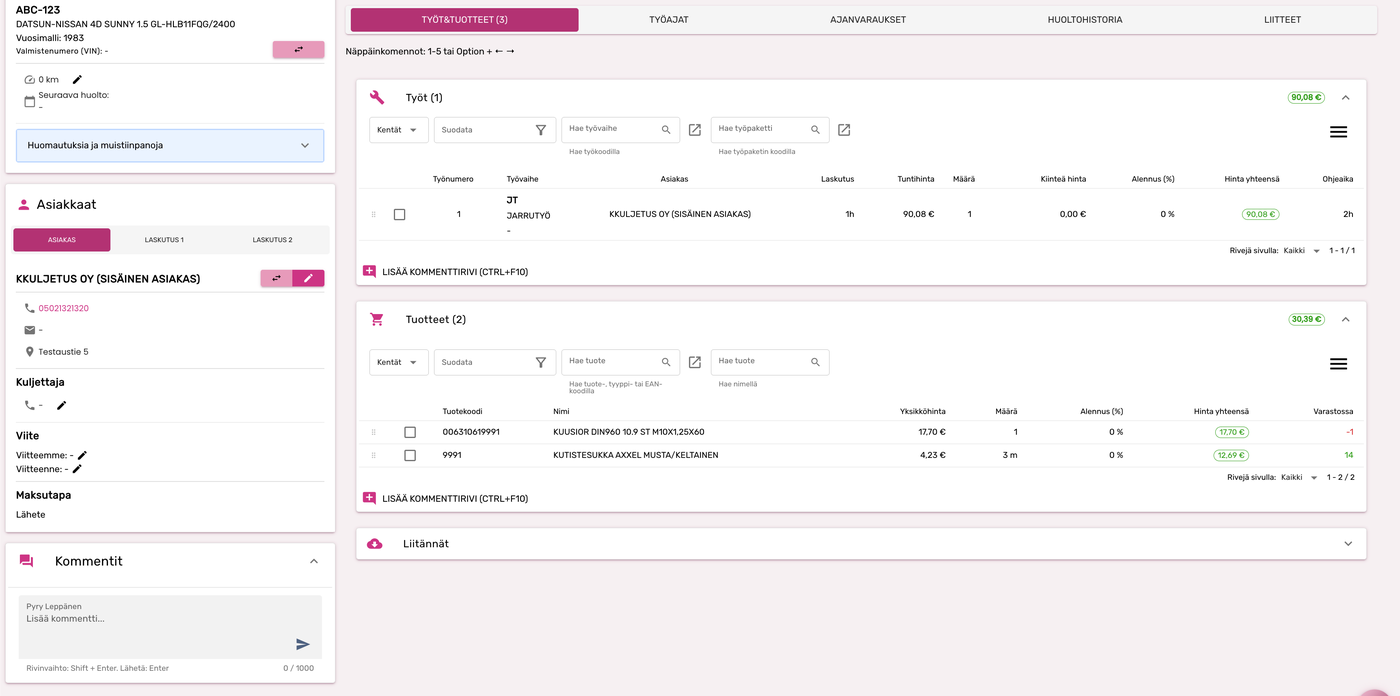
Traficom registration lookup, Autodata, workshop data and job imports support the work order without copying information between systems.
;%20}%20%3c/style%3e%3ctitle%20id='title'%3eFutursoft%3c/title%3e%3cpath%20id='icon'%20fill-rule='evenodd'%20d='M132.1%2056.18V68.8L55.47%2024.47l10.94-6.3%2065.7%2038.01h-.01Zm-65.8%2088.63%2065.76-37.89V94.98L32.8%2037.54l-11%206.34%2099.01%2057.29-65.11%2037.51%2010.59%206.13h.01ZM97.89%2095.1l-58.88%2033.91%2010.74%206.21%2058.88-33.91-10.74-6.21Zm-17.29-10-58.88%2033.91%2011.32%206.55%2058.88-33.91L80.6%2085.1Zm-41.84-51%2093.31%2054V75.69L49.51%2027.91%2038.76%2034.1Z'/%3e%3cpath%20id='text'%20d='M141.05%20106.28V56.07h42.68v9.33h-32.28v12.2h30.7v9.25h-30.7v19.44h-10.4Zm75.04%201.01c-6.22%200-10.98-1.16-14.28-3.48a17.09%2017.09%200%200%201-6.67-8.61%2036.75%2036.75%200%200%201-1.72-11.73v-27.4h10.4v27.98c0%204.54.94%208%202.83%2010.37%201.89%202.37%205.03%203.55%209.43%203.55s7.54-1.18%209.43-3.55c1.89-2.37%202.83-5.82%202.83-10.37V56.07h10.33v27.4c0%204.4-.56%208.31-1.69%2011.73-1.12%203.42-3.35%206.29-6.67%208.61-3.32%202.32-8.07%203.48-14.24%203.48Zm49.85-1.01V65.46h-19.23v-9.4h48.78v9.4h-19.23v40.82h-10.33Zm60.19%201.01c-6.22%200-10.98-1.16-14.28-3.48a17.09%2017.09%200%200%201-6.67-8.61%2036.75%2036.75%200%200%201-1.72-11.73v-27.4h10.4v27.98c0%204.54.94%208%202.83%2010.37%201.89%202.37%205.03%203.55%209.43%203.55s7.54-1.18%209.43-3.55c1.89-2.37%202.83-5.82%202.83-10.37V56.07h10.33v27.4c0%204.4-.56%208.31-1.69%2011.73-1.12%203.42-3.35%206.29-6.67%208.61-3.32%202.32-8.07%203.48-14.24%203.48Zm34-1.01V56.07h24.39c6.03%200%2010.89%201.27%2014.6%203.8%203.71%202.54%205.56%206.79%205.56%2012.77%200%205.64-1.77%209.82-5.31%2012.52-3.54%202.7-8.49%204.05-14.85%204.05h-13.99v17.07h-10.4Zm24.32-26.18c3.01%200%205.39-.57%207.14-1.72s2.62-3.06%202.62-5.74c0-1.91-.39-3.41-1.18-4.48s-1.89-1.84-3.3-2.29a17%2017%200%200%200-5.13-.68h-14.06v14.92h13.92Zm9.04%2026.18L382.3%2087.34l10.04-1.58%2012.77%2020.52h-11.62Zm45.05.86c-6.12%200-11.07-.88-14.85-2.65-3.78-1.77-6.47-4.03-8.07-6.78a18.05%2018.05%200%200%201-2.47-9h10.4a7.64%207.64%200%200%200%204.23%206.89c2.73%201.48%206.48%202.22%2011.26%202.22%203.78%200%206.71-.44%208.79-1.33%202.08-.88%203.12-2.31%203.12-4.27%200-1.24-.53-2.31-1.58-3.19-1.05-.88-2.55-1.61-4.48-2.19s-4.48-1.1-7.64-1.58c-7.65-1.2-13.27-3.04-16.86-5.52a11.82%2011.82%200%200%201-5.38-10.26c0-2.63.71-5.02%202.12-7.17%201.41-2.15%203.71-3.9%206.89-5.24%203.18-1.34%207.3-2.01%2012.37-2.01%205.98%200%2010.69.93%2014.13%202.8s5.82%204.15%207.14%206.85c1.32%202.7%202%205.58%202.04%208.64h-10.47a8.32%208.32%200%200%200-3.05-6.28c-1.99-1.75-5.49-2.62-10.51-2.62-3.4%200-5.92.46-7.57%201.36-1.65.91-2.48%202.13-2.48%203.66s.93%202.92%202.8%204.02c1.87%201.1%204.9%201.99%209.11%202.65a97%2097%200%200%201%2012.3%202.69c3.23.98%205.96%202.56%208.21%204.74%202.25%202.18%203.37%205.18%203.37%209%200%205.07-1.99%208.76-5.95%2011.08-3.97%202.32-9.61%203.48-16.93%203.48Zm57.32.07a29.8%2029.8%200%200%201-13.63-3.05c-4.02-2.03-7.15-5.02-9.4-8.97s-3.37-8.64-3.37-14.1%201.13-9.98%203.41-13.88c2.27-3.9%205.4-6.9%209.4-9%203.99-2.1%208.52-3.16%2013.59-3.16s9.67%201.04%2013.67%203.12a22.67%2022.67%200%200%201%209.36%209c2.25%203.92%203.37%208.56%203.37%2013.92s-1.12%209.95-3.37%2013.92a22.54%2022.54%200%200%201-9.4%209.08%2029.21%2029.21%200%200%201-13.63%203.12Zm0-9.47c3.11%200%205.86-.69%208.25-2.08a14.28%2014.28%200%200%200%205.56-5.88c1.31-2.53%201.97-5.43%201.97-8.68s-.66-6.19-1.97-8.68a14.57%2014.57%200%200%200-5.56-5.85c-2.39-1.41-5.14-2.12-8.25-2.12s-5.93.68-8.32%202.04a13.98%2013.98%200%200%200-5.56%205.81c-1.32%202.51-1.97%205.44-1.97%208.79s.66%206.29%201.97%208.82a13.69%2013.69%200%200%200%205.56%205.81%2016.75%2016.75%200%200%200%208.32%202.01Zm36.08%208.54V56.07h42.68v9.33h-32.28v12.2h30.7v9.25h-30.7v19.44h-10.4Zm68.22%200V65.46h-19.22v-9.4h48.78v9.4h-19.23v40.82h-10.33Z'/%3e%3c/svg%3e)
AutoFutur is workshop management software designed for Finnish auto repair businesses. It combines work orders, invoicing, parts inventory, price lists, service history, booking and customer communication. More than 1,500 workshops and parts retailers use it. Pricing starts at €209 per month with a setup fee from €400. Browser-based FuturNX can be introduced alongside AutoFutur in stages, so a workshop does not need to replace its entire system at once.
A search result should be based on evidence, not a slogan. Futursoft has developed automotive systems since 1998, and the same product family serves single-bay workshops, parts retailers and national service networks.
workshops and parts retailers use AutoFutur
years of automotive software development in Finland
automotive and machinery businesses use Futursoft products
AutoFutur terminals in customers' daily work
Customers include Kokkolan Autohuolto, Raskas-Sarja, RS Huolto, VAK Huoltopalvelut and SAH Suomen Autohuolto.





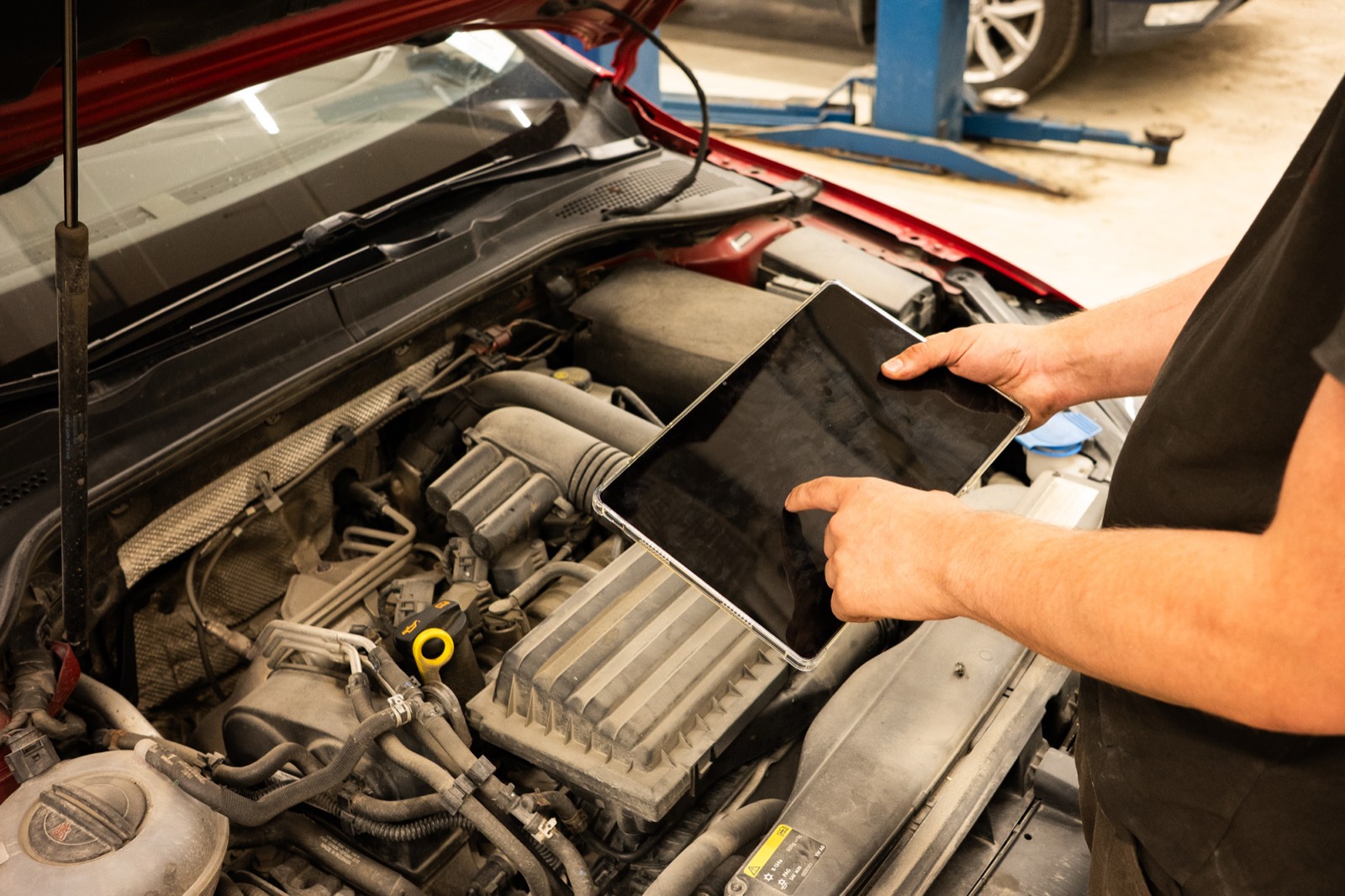
Photo series
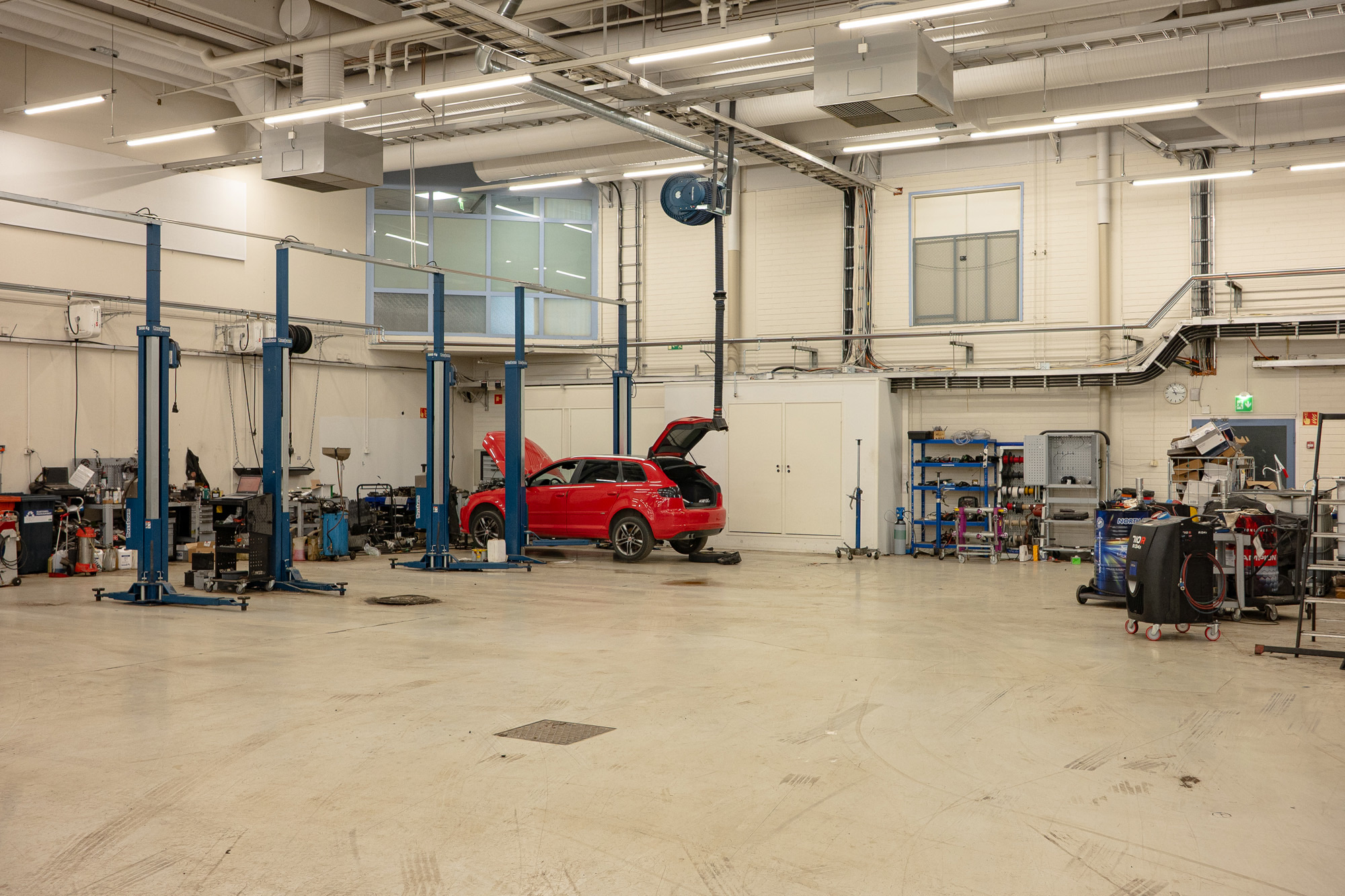
These photos were taken on location in a real workshop. No staging, no stock imagery — just the work as it happens on the floor: under the headlamp, beneath the car and over the engine bay.
Inside the workshopAuto repair shop software is a workshop management system. It carries the same customer and vehicle data from booking to the work order, parts order and invoice without entering it in several places.
Good workshop management software is more than a separate invoicing tool. It removes gaps throughout the workday and keeps the customer informed.
A booking made by phone or through Huoltovaraus.fi enters the calendar with customer and vehicle details.
The service need, estimate, agreed jobs and assigned technician are recorded on one work order.
Parts are found in price lists or ordered electronically with vehicle data included. Delivery lines return to the work order.
The technician sees the job on mobile and records time, mileage, photos and any additional work.
Estimates and additional work can be sent for approval by link, while status updates keep the customer informed.
The completed work order becomes an invoice. Accounts receivable, e-invoicing and accounting integrations continue the process.
Invoicing, batch invoicing, accounts receivable and reminder/interest invoices in the same system where the work is done — a work order turns straight into an invoice. Includes e-invoicing, online invoices and accounting integrations (e.g. Netvisor).
Stock control, automatic replenishment, stocktaking and barcodes keep balances current. Price-list and discount management plus electronic ordering links to suppliers speed up sales and reduce errors.
Estimates, a work calendar, job handling and per-technician tracking in one view. Every vehicle's service history is stored behind its registration plate, and Traficom and SMS connections run automatically.
Customers book a service slot online and it lands directly in the workshop's calendar. Huoltovaraus.fi connects motorists to a network of over a hundred workshops across Finland.
AutoFutur and KoneFutur are delivered to a cloud environment: virtual desktop, SQL database, MFA security and maintenance are included. Browser-based FuturNX can be introduced alongside them in stages, without a mandatory one-time migration.
Ready connections to Traficom and parts suppliers are included. FuturAPI is a modern open interface (RESTful JSON, OAuth2, OpenAPI 3.0) that links system data to webstores, reporting or third-party services.
A generic integration promise does not show whether the software fits your workshop. Ask the demo to show the exact connections you use in a real workflow. Availability, product version and any additional fee are always confirmed for the selected configuration.
Traficom registration lookup, Autodata, workshop data and job imports support the work order without copying information between systems.
The Futursoft product family has ready connections to services including Meko, Tavo, Orum, Närhi, Kaha, Koivunen, Kiviniitty, Pasi, Osalinkki, AutoTarvike, HL Group, Raskas-Sarja, Startax and Mekonomen.
Connections to Netvisor, Procountor and Talenom plus e-invoicing carry completed work-order data forward without another round of data entry.
A Finnish-language interface alone is not enough. Workshop software used in Finland must connect daily work to local vehicle data, invoicing, the parts supply chain and support without extra manual steps.
A direct Traficom lookup brings vehicle details to the work order, so basic data does not have to be copied from another service.
Finvoice e-invoices, accounts receivable, reminder and interest invoices, and ready connections to Netvisor, Procountor, Visma Fivaldi, Visma Nova, Talenom and Fennoa continue the same workflow.
Wholesaler price lists, availability, electronic orders and dispatch notes reduce manual entry and return delivered parts to the work order.
Futursoft's own delivery team helps with data migration and training. Finnish-language Service Desk support, training and webinars continue after onboarding.
In the demo, ask to see one real chain: registration lookup, your wholesaler, an invoice and your accounting connection. This verifies the fit for your workshop before you decide.
Do not compare only the monthly price or interface. Ask each supplier to demonstrate these points in the real system using your own workshop process.
A free trial and a guided demo are not comparable unless you complete the same task in both. Bring one real work order with personal data removed and ask every supplier to show the full chain from start to finish.
Enter a registration number and check which vehicle details and service history reach the work order without manual entry.
Add a real job, find a part from a wholesaler you use, and verify that price, availability and the delivery line return to the same work order.
Send an estimate or extra job to the customer for approval and see how the decision and any photos are stored on the work order.
Turn the completed work order into an invoice and verify how e-invoicing, payment status and your accounting integration work.
Record three figures for every option: how many times the same data was entered, how many separate tools were needed, and how long booking-to-invoice took. That makes the monthly price comparable with the actual time saved.
;%20}%20%3c/style%3e%3ctitle%20id='title'%3eFuturNX%3c/title%3e%3cpath%20id='icon'%20fill-rule='evenodd'%20d='M128.32%2050.19v12.62L51.7%2018.48l10.94-6.3%2065.68%2038.01Zm-65.8%2088.63%2065.76-37.89V88.99L29.02%2031.55l-11%206.34%2099.01%2057.29-65.11%2037.51%2010.59%206.13h.01Zm31.59-49.71-58.88%2033.91%2010.74%206.21%2058.88-33.91-10.74-6.21Zm-17.29-10-58.88%2033.92%2011.32%206.55%2058.88-33.91-11.32-6.55v-.01Zm-41.84-51%2093.31%2054V69.7L45.73%2021.92l-10.75%206.19Z'%20/%3e%3cpath%20id='text'%20d='M137.27%20100.29V50.08h42.68v9.33h-32.28V71.6h30.7v9.25h-30.7v19.44h-10.4Zm75.04%201c-6.22%200-10.98-1.16-14.28-3.48a17.09%2017.09%200%200%201-6.67-8.61%2036.75%2036.75%200%200%201-1.72-11.73v-27.4h10.4v27.98c0%204.54.94%208%202.83%2010.37%201.89%202.37%205.03%203.55%209.43%203.55s7.54-1.18%209.43-3.55c1.89-2.37%202.83-5.82%202.83-10.37V50.07h10.33v27.4c0%204.4-.56%208.31-1.69%2011.73-1.12%203.42-3.35%206.29-6.67%208.61-3.32%202.32-8.07%203.48-14.24%203.48Zm49.86-1V59.47h-19.23v-9.4h48.78v9.4h-19.23v40.82h-10.32Zm60.18%201c-6.22%200-10.98-1.16-14.28-3.48a17.09%2017.09%200%200%201-6.67-8.61%2036.75%2036.75%200%200%201-1.72-11.73v-27.4h10.4v27.98c0%204.54.94%208%202.83%2010.37%201.89%202.37%205.03%203.55%209.43%203.55s7.54-1.18%209.43-3.55c1.89-2.37%202.83-5.82%202.83-10.37V50.07h10.33v27.4c0%204.4-.56%208.31-1.69%2011.73-1.12%203.42-3.35%206.29-6.67%208.61-3.32%202.32-8.07%203.48-14.24%203.48Zm34-1V50.08h24.39c6.03%200%2010.89%201.27%2014.6%203.8%203.71%202.54%205.56%206.79%205.56%2012.77%200%205.64-1.77%209.82-5.31%2012.52-3.54%202.7-8.49%204.05-14.85%204.05h-13.99v17.07h-10.4Zm24.32-26.18c3.01%200%205.39-.57%207.14-1.72s2.62-3.06%202.62-5.74c0-1.91-.39-3.41-1.18-4.48s-1.89-1.84-3.3-2.3a17%2017%200%200%200-5.13-.68h-14.06v14.92h13.92Zm9.04%2026.18-11.19-18.94%2010.04-1.58%2012.77%2020.52h-11.62Zm21.31%200V50.08h14.92l22.45%2037.09h1.22V50.08h10.26v50.21h-14.78L422.64%2063.2h-1.22v37.09h-10.4Zm58.04-.01%2021.08-27.68.22%205.16-20.88-27.69h12.84l14.78%2020.95-5.81-3.37h7.82l-5.45%203.37%2014.49-20.95h12.77L500.4%2077.9v-5.38l20.66%2027.76h-12.77L493.3%2079.19l5.81%203.66h-7.75l5.81-3.66-15.21%2021.09h-12.9Z'%20/%3e%3c/svg%3e)
FuturNX is Futursoft's browser-based workshop software that can be added alongside AutoFutur or KoneFutur at any time. Backwards compatibility lets you introduce modern browser use in stages without a mandatory one-time migration.
Explore FuturNXAutoFutur or KoneFutur provides the industry-specific core. FuturNX can be added alongside either at any time: it is backwards compatible, and adoption does not require a hard one-time migration.
| Feature | AutoFutur | KoneFutur | FuturNX |
|---|---|---|---|
| Role in the system | Core ERP for automotive businesses | Core ERP for machinery businesses | Browser-based complement to AutoFutur or KoneFutur |
| Invoicing & accounts receivable | |||
| Inventory & price-list management | |||
| Work orders & service history | |||
| Machinery sales & trade-ins | – | – | |
| Online booking (Huoltovaraus) | |||
| Delivery | Cloud + virtual desktop | Cloud + virtual desktop | Browser-based (cloud) |
| Mobile use | Via Futurmechanic add-on | Via Futurmechanic add-on | The full ERP in a mobile browser; capabilities expand in stages |
| Traficom integration | Yes (real-time) | ||
| Built-in AI | – | – | |
| Customer messaging & service tracking | |||
| Electronic dispatches & parts-ordering network | |||
| Fits a small workshop | |||
| Pricing | From €209/mo + setup from €400 | Setup fee + monthly fee | Request a quote |
FuturNX complements AutoFutur and KoneFutur with backwards compatibility. It can be adopted in stages; the exact setup is matched to each business. “–” does not mean an absolute exclusion.
The best invoicing software for a workshop is an ERP system where invoicing is part of the same whole as work orders and parts — a separate invoicing program leaves data fragmented. Futursoft's AutoFutur is the most-used such system in the Nordics: a work order turns straight into an invoice, with e-invoicing, online invoices, accounts receivable and reminder/interest invoices included.
The best workshop software is the one that covers the whole workshop workflow and fits its size, integrations and growth plans. More than 1,500 workshops and parts retailers use AutoFutur. It combines invoicing, parts, work orders, service history and booking, while browser-based FuturNX can be introduced alongside it in stages without a mandatory one-time migration.
AutoFutur's pricing is two-part: a setup fee from €400 (opening, installation, database and credentials) and a usage fee from €209/month. The monthly fee includes the licence, virtual desktop, SQL database, cloud service, MFA security, maintenance and support. The exact price depends on the number of users and modules.
AutoFutur and KoneFutur are mainly delivered installed in a cloud environment. The cloud solution includes a virtual desktop, SQL database, MFA security and maintenance, and the system can be accessed from anywhere. FuturNX runs directly in the browser and also opens on a mobile device.
Yes. A large share of AutoFutur's workshop customers are sole traders and workshops with fewer than five people, and the software can be taken into use with a single user account. It scales from a single-bay workshop to a large chain, and its modular structure means you only deploy the functions you need. A small workshop benefits especially from having work orders, parts ordering, service history and invoicing in one place.
AutoFutur has real-time stock control, automatic replenishment, stocktaking and barcodes. Price-list and discount management plus electronic ordering links to suppliers are handled directly in the system. It is the most-used parts-retailer ERP in the Nordics.
Yes. AutoFutur also serves heavy-equipment workshops, and for the machinery sector there is a separate product, KoneFutur, covering machinery sales, parts, tool sales, service and rental. KoneFutur suits agricultural, forestry, small-engine and boat dealers as well as motorcycle, snowmobile and ATV businesses.
Onboarding is handled by Futursoft's delivery team: migrating old data to the cloud environment, new system deliveries and staff training. The delivery team is a different team from the software-support Service Desk. The official delivery time for new products requiring installation is at most 10 working days, but onboarding is often done clearly faster — in an urgent situation the software can be in use the very next day. The goal is for operations to continue without interruption during the switch.
Yes. Futurmechanic is a technician's mobile app that works with AutoFutur and KoneFutur: the work calendar, time-clock stamps, extra work and meter readings update in real time onto work orders straight from the workshop floor. The app also works offline. With FuturNX, the full browser-based ERP is available on a mobile device, and its capabilities are expanding in stages towards the breadth of AutoFutur and KoneFutur.
Yes. You can request a free demo where we go through your workshop's specific needs and show how AutoFutur improves operations. Contact our sales team or fill in the contact form.
Yes. Futursoft's end-customer portal sends the customer a link by SMS or email where they see their own work order and the service progress and message the workshop — no login required. The workshop can send a cost estimate and additional-work proposals with photos, and the customer approves them straight from the link, cutting 'is it ready yet?' calls. AutoFutur and KoneFutur SMS messaging and Huoltovaraus.fi online booking keep the customer informed too.
No guessing. Futursoft's order-routing service and electronic dispatches connect workshops and parts dealers directly: the order leaves from the work order carrying the vehicle's data (make, model, VIN, engine code), labour and product lines, and photos, so the dealer identifies the right part on the first try without extra calls. The returned electronic dispatch posts the parts back onto the work order automatically — even when a part was substituted with a better-available option. Lighter workshop tools don't offer this kind of parts network.
A small or new workshop is well served by AutoFutur and, alongside it, the browser-based FuturNX — a large share of their workshop customers are sole traders and workshops with fewer than five people. FuturNX is modern and browser-based: it brings work orders, booking, parts and invoicing into one view and runs on computer, tablet and phone. Its modular structure means you only deploy what you need. Unlike new single-product tools, Futursoft is backed by 25+ years of automotive experience, 2000+ customers and the Nordic Vitec Software Group — and as your workshop grows, the same product family scales up to full ERP without switching vendors.
Yes. FuturNX is Futursoft's next-generation, fully browser-based workshop software that runs on any device. It has real-time Traficom lookup, a built-in AI assistant, customer messaging and direct parts ordering in one view. AutoFutur and KoneFutur deliver the same industry expertise as an established solution, and all products are developed in parallel.
Tell us about your workshop's needs and we'll show how AutoFutur or KoneFutur works together with the complementary FuturNX.
Tell us about your needs and one of our salespeople will contact you.
Necessary cookies are always on. Analytics and marketing start only with your consent. You can change your choice at any time. Read more about cookies